
Introduction
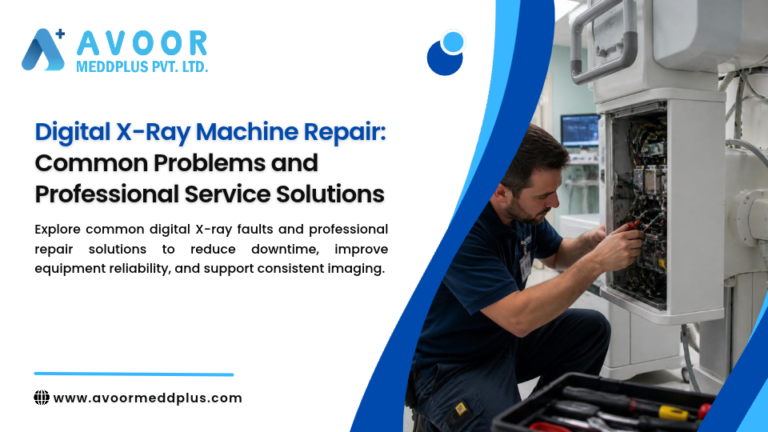
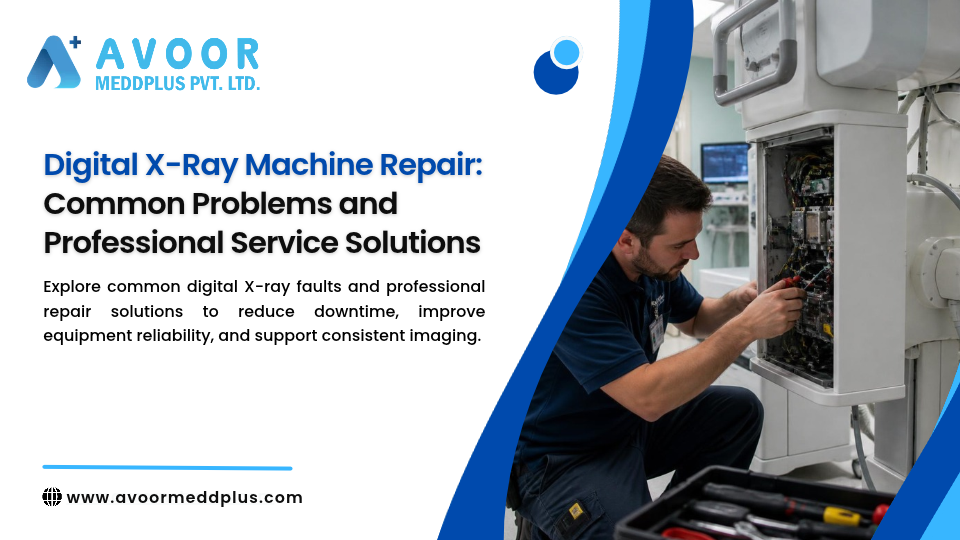
Digital X-Ray Machine Repair is important for hospitals, diagnostic centers, and radiology departments that depend on reliable digital radiography (DR) systems. Digital X-ray equipment combines X-ray generation, image detection, processing software, workstation controls, and data communication. A problem in any of these areas can interrupt examinations or affect image quality.
Common issues include detector errors, image artifacts, generator faults, workstation problems, communication failures, and mechanical positioning issues. Some problems may be resolved through approved routine checks, while others require a qualified service engineer.
A professional repair process focuses on identifying the underlying fault, carrying out appropriate corrective work, and verifying system performance before clinical use resumes.
This guide explains common digital X-ray machine problems, professional service solutions, preventive maintenance practices, and how to select a suitable repair provider.
Table of Contents
- What Is Digital X-Ray Machine Repair?
- How a Digital X-Ray System Works
- Common Digital X-Ray Machine Problems
- Professional Service Solutions
- Preventive Maintenance Best Practices
- When to Call a Service Engineer
- Digital X-Ray AMC and Maintenance Planning
- Digital X-Ray Maintenance Checklist
- How to Choose a Repair Service Provider
- Frequently Asked Questions
- Why Choose Avoor Meddplus Pvt Ltd?
- Conclusion
What Is Digital X-Ray Machine Repair?
Digital X-Ray Machine Repair involves troubleshooting, servicing, and restoring digital radiography equipment when a hardware, software, electrical, mechanical, or image-quality problem occurs.
A repair may involve one or more of the following:
- X-ray generator diagnostics
- Detector and image-acquisition checks
- Workstation and software troubleshooting
- Electrical and power-supply inspection
- Mechanical positioning checks
- Communication and image-transfer diagnostics
- Component repair or replacement
- Post-repair operational and quality checks
- Service documentation
The exact procedure depends on the equipment model, fault, manufacturer requirements, and applicable safety procedures.
How a Digital X-Ray System Works
A digital X-ray system typically includes several connected components.
X-Ray Generator and Tube
The generator supplies the electrical conditions required for X-ray production, while the X-ray tube produces the radiation used for imaging.
Digital Detector
The detector captures the transmitted X-ray signal and converts it into digital image data. Detector designs vary by system.
Image Acquisition and Processing System
Acquisition electronics and software process detector data and prepare images for review.
Workstation and Display
The workstation allows authorized users to manage examinations, review images, and perform approved image-processing tasks.
Communication and Storage
The system may connect to hospital information systems, PACS, and other approved networks for image transfer and storage.
A fault in one component can affect the operation of the overall system.
Common Digital X-Ray Machine Problems
1. Detector Errors or Failure
Detector-related faults may prevent image acquisition or produce inconsistent image quality.
Possible signs:
- Detector not recognized
- Acquisition error messages
- Incomplete images
- Repeated detector alarms
- Unexpected image artifacts
Professional service solution: A qualified engineer reviews the system diagnostics, detector status, connections, and relevant acquisition components. The cause may involve the detector, associated electronics, communication, calibration, or configuration.
2. Image Artifacts or Poor Image Quality
Artifacts can appear as lines, spots, shading, or other unexpected patterns in an image.
Possible contributors:
- Detector-related issues
- Calibration problems
- Damaged or contaminated components
- Acquisition or processing errors
- Incorrect or changed system settings
Professional service solution: The service team should investigate the artifact pattern and review approved quality-control results. Avoid changing image-processing settings simply to hide a recurring artifact.
If image quality is outside the facility’s approved limits, follow departmental procedures before using the system clinically.
3. X-Ray Generator Faults
Generator problems can interrupt exposures or prevent the system from operating.
Possible signs:
- Exposure cannot be initiated
- Generator error messages
- Unexpected exposure interruption
- Repeated system faults
Professional service solution: Generator and high-voltage diagnostics should be performed by appropriately trained service personnel using manufacturer-approved procedures. Users should not open high-voltage assemblies or attempt internal repairs.
4. X-Ray Tube or Thermal Problems
Tube-related or thermal faults may interrupt examinations and require careful evaluation.
Possible signs:
- Tube-related warnings
- Exposure interruptions
- Unusual system alarms
- Repeated thermal messages
Professional service solution: Follow the manufacturer’s instructions and facility safety procedures. A qualified engineer should evaluate the tube, associated electronics, and any relevant cooling or thermal-management components.
5. Workstation or Software Problems
A digital X-ray system may experience workstation freezes, application errors, or acquisition-software problems.
Possible signs:
- Workstation becomes unresponsive
- Acquisition software fails to start
- Images do not display correctly
- Processing or saving errors
Professional service solution: Review approved system logs, software status, storage capacity, and recent authorized changes. Do not install unapproved applications or modify system settings without authorization.
6. Image Transfer or Network Communication Failure
Digital radiography systems often depend on reliable communication with PACS or other hospital systems.
Possible signs:
- Images fail to transfer
- Worklist is unavailable
- Network connection errors
- Images appear on the workstation but not in the destination system
Professional service solution: Coordinate with the facility’s IT team to check approved network connections, destination settings, and communication logs. Confirm whether the issue is local to the X-ray system or part of a wider network problem.
7. Mechanical Positioning Problems
Some digital X-ray systems include moving tube stands, detector supports, tables, or wall stands.
Possible signs:
- Positioning movement is restricted
- Movement stops unexpectedly
- Unusual noise or vibration
- Position feedback errors
Professional service solution: Stop using affected movement functions if safe positioning cannot be assured. A qualified engineer should inspect the relevant mechanical, motor, sensor, and control components.
Do not force movement or bypass safety interlocks.
8. Power Supply or Electrical Problems
Unstable power or a failing electrical component may cause intermittent faults.
Possible signs:
- Unexpected shutdowns
- Repeated startup problems
- Intermittent system alarms
- Loss of communication between components
Professional service solution: Review facility power conditions and approved diagnostic information. Internal electrical repairs should be carried out by qualified personnel.
9. Calibration or Quality-Control Failures
A system may appear operational but fail a required quality-control check.
Possible signs:
- Image-quality checks outside approved limits
- Inconsistent test results
- Calibration warnings
- Changes following a repair or component replacement
Professional service solution: Follow the manufacturer’s and facility’s quality-control procedures. Required checks should be completed by appropriately qualified personnel before the system is returned to clinical use.
10. Recurring Error Messages
Repeated errors may indicate an unresolved underlying problem.
Professional service solution: Record the exact message, date, time, examination mode, and circumstances. Review the error history and previous service reports to help identify patterns and avoid repeated temporary resets.
Professional Digital X-Ray Machine Repair Process
A structured repair process helps improve troubleshooting and reduce unnecessary downtime.
Step 1: Record the Reported Problem
Capture the error message, when it occurred, the affected function, and any recent changes or repairs.
Step 2: Follow Safety Procedures
If the fault involves electrical concerns, unexpected movement, overheating, smoke, or possible patient-safety risks, follow facility procedures and stop using the affected function or system as required.
Step 3: Review Logs and Service History
System logs and previous repair records can help identify recurring issues.
Step 4: Diagnose the Fault
The engineer evaluates the relevant subsystem, such as the detector, generator, tube, workstation, network, or mechanical assembly.
Step 5: Complete Appropriate Repair
Repair or replacement should follow equipment-specific procedures and consider component availability, safety, and manufacturer requirements.
Step 6: Verify System Performance
Complete the required operational, safety, and quality-control checks. Document the work and obtain the facility’s required authorization before clinical use resumes.
Preventive Maintenance Best Practices
Preventive maintenance can help identify developing problems before they result in extended downtime.
Follow the Manufacturer’s Maintenance Schedule
Use the maintenance intervals and procedures specified for the exact system model.
Keep the Equipment Environment Suitable
Maintain the environmental and power conditions specified by the manufacturer, including appropriate temperature, humidity, ventilation, cleanliness, and electrical supply.
Review Error History
Track recurring error messages and report unusual behavior promptly.
Maintain Quality-Control Records
Keep records of relevant quality-control checks and escalate results that fall outside approved limits.
Document Service Activities
Maintain clear records of inspections, faults, repairs, replaced components, test results, and recommendations.
Plan for Spare Parts
Identify critical components that could affect restoration time. Spare-parts planning should consider system age, availability, usage, and service history.
When to Call a Service Engineer
Contact an appropriately qualified service engineer when:
- The system repeatedly fails to acquire images
- Detector or generator errors persist
- Image artifacts recur
- Exposure or thermal warnings appear
- Mechanical movement is abnormal
- Image transfer repeatedly fails
- Required quality-control checks are not passed
- The system shuts down unexpectedly
If a fault creates a potential patient or staff safety concern, stop using the affected system and follow the facility’s escalation procedures.
Digital X-Ray AMC and Maintenance Planning
A medical equipment annual maintenance contract (AMC) can help organize planned maintenance and breakdown support.
Depending on the agreement, coverage may include:
- Scheduled preventive maintenance
- Breakdown troubleshooting
- Service reports
- Maintenance recommendations
- Defined response procedures
- Spare-parts coverage, where agreed
Before signing an AMC, confirm the equipment covered, exclusions, preventive visit schedule, response terms, spare-parts responsibilities, and post-repair testing requirements.
Digital X-Ray Machine Maintenance Checklist
This is a general planning aid, not a substitute for manufacturer instructions.
Routine Department Checks
- Review system messages and alarms
- Report recurring faults
- Observe unusual noise or movement
- Check visible equipment condition
- Follow approved startup and shutdown procedures
- Maintain required quality-control records
Scheduled Maintenance
- Review service and error history
- Inspect relevant electrical and mechanical components
- Check detector and acquisition functions
- Review workstation and communication status
- Perform manufacturer-specified checks
- Document findings and recommendations
After Repair
- Confirm the reported fault has been addressed
- Complete required operational checks
- Complete required safety and quality-control checks
- Record parts repaired or replaced
- Document service actions and follow-up requirements
- Obtain required authorization before clinical use
How to Choose a Digital X-Ray Repair Service Provider
Relevant Technical Experience
Choose a provider with experience in digital radiography systems and the relevant equipment model.
Structured Troubleshooting
The provider should investigate root causes instead of relying on repeated resets or unverified component replacement.
Safety and Quality Awareness
Confirm that the service team follows manufacturer procedures and understands the importance of post-repair checks.
Clear Documentation
Service reports should describe the fault, diagnosis, work performed, components used, test results, and recommendations.
Transparent Service Terms
Review response procedures, coverage, exclusions, spare-parts responsibilities, and commercial terms before agreeing to service.
Frequently Asked Questions
What is digital X-ray machine repair?
It is the troubleshooting, servicing, and repair of digital radiography equipment, including its generator, tube, detector, workstation, software, and related components.
What are common digital X-ray machine problems?
Common problems include detector errors, image artifacts, generator faults, tube or thermal warnings, workstation issues, network communication failures, and mechanical positioning faults.
Can preventive maintenance reduce digital X-ray downtime?
Preventive maintenance can help identify developing problems and improve maintenance planning. It cannot eliminate every failure, but it may reduce avoidable interruptions.
How often should a digital X-ray machine be serviced?
The frequency depends on the equipment model, manufacturer requirements, usage, operating environment, and facility procedures. Follow the system-specific maintenance schedule.
Can a digital X-ray system be used immediately after repair?
The system should return to clinical use only after required operational, safety, and quality-control checks have been completed and the facility’s responsible personnel have authorized its use.
Can an AMC cover digital X-ray machine repair?
An AMC may include preventive maintenance and breakdown support, depending on its terms. Confirm the coverage, exclusions, spare-parts conditions, and response procedures.
Why Choose Avoor Meddplus Pvt Ltd?
Avoor Meddplus Pvt Ltd provides medical imaging equipment maintenance and repair support for healthcare facilities.
Service capabilities may include:
- Digital X-ray equipment troubleshooting
- Preventive maintenance
- Breakdown maintenance
- Medical imaging equipment repair
- Electronic diagnostics
- PCB and component-level repair, where appropriate
- Power-supply troubleshooting
- Spare-parts support
- Maintenance documentation
- AMC support
Service scope depends on the equipment model, fault, parts availability, and agreed service terms.
Conclusion
Digital X-Ray Machine Repair helps hospitals and diagnostic centers address faults that can interrupt imaging services or affect equipment performance.
Detector problems, image artifacts, generator faults, software issues, communication failures, and mechanical concerns require systematic troubleshooting and appropriate service procedures.
A proactive maintenance program, accurate fault records, qualified repair support, and required post-repair checks can help reduce avoidable downtime and support reliable radiology operations.